How to use Remindly
Remindly speaks reminders aloud at the right time for the person being cared for, and lets the people who care for them set those reminders up from anywhere — on a screen at their end, or as a telephone call if there is no screen. Here's how the main pieces fit together.
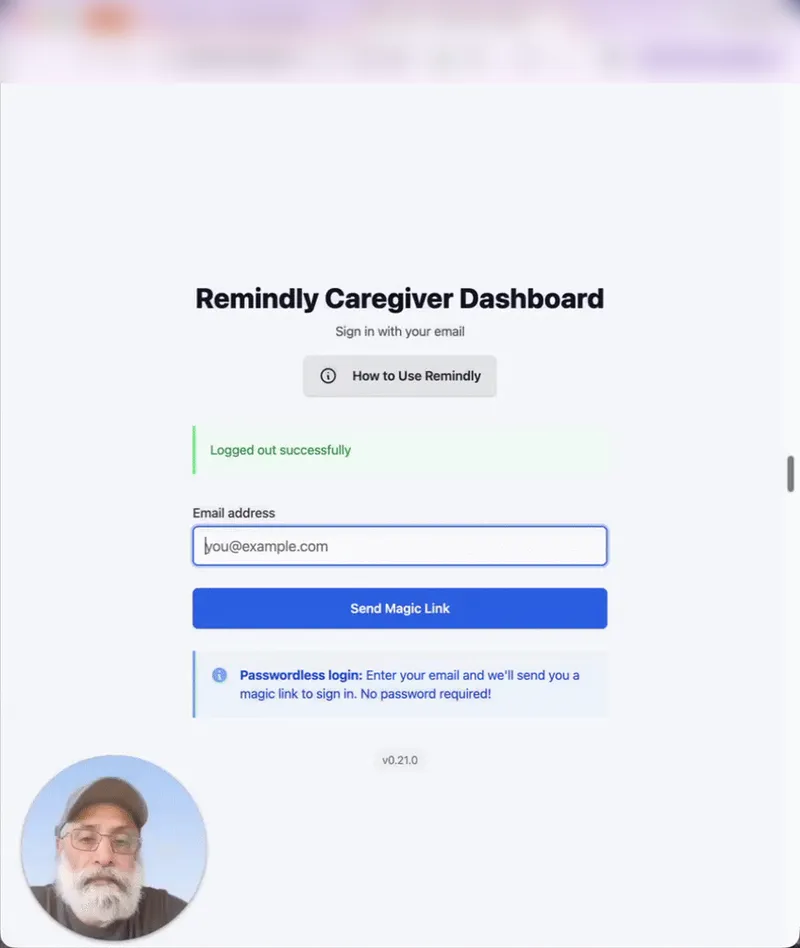
There is no password to remember — you sign in by entering your email and following a secure link we send you, which expires after a short time. The first time you sign in, Remindly asks whether you are a caregiver setting things up for someone or the person who will receive the reminders — unless you came from "Set up reminders for my parent", which already answers that — and takes you straight in. If the wrong one gets picked, email hello@remindly.care and it is changed.
Back to contentsReminders
Reminders help care receivers stay on track with their daily routines. Caregivers can set up recurring reminders for medication, hydration, and everyday routines. Each reminder can be customized with:
- Custom schedules — daily, weekly, or a frequency you choose.
- Specific times — set the exact time for each reminder.
- Categories — organize by medication, hydration, or routine.
- Voice announcements — care receivers hear the reminder spoken aloud on their device, or over the telephone if they would rather not use a screen.
- Acknowledgement — the care receiver marks a reminder done or snoozes it, and caregivers can see what was completed and what was missed.
Reminders by telephone
Not every house has a tablet in it, and not everybody wants one. Remindly can telephone the care receiver instead and say the reminder down the line. An ordinary landline or mobile is enough — there is nothing to install, no account to make, and no screen to read.
The call opens by saying it is Remindly and asking them to press 1 to hear the reminder — so a voicemail never records it. Then it says the reminder and waits for one more keypress, one of three:
- Press 1 — done. It is recorded exactly as pressing Done on the screen would be.
- Press 2 — remind me again shortly, and Remindly rings back.
- Press 9 — stop the reminder calls. They stop from that moment.
Nobody is telephoned without agreeing to it first. The first call does nothing but ask: it says who arranged the reminders, promises the calls will never ask for personal details, and starts the reminders only if the person presses 1. Press 9 instead and there is no second call.
Pressing 9 during any later call stops the reminder calls too. A caregiver can ask again afterwards — that request is itself a call, and there is a limit on how many can be made in a day — but asking is all they can do. Only the person on the telephone can start the reminders again, by pressing 1 on a call of their own.
Calls are made between 8am and 9pm at the care receiver's end, unless you choose other hours on the phone panel — anywhere from 6am to 10pm. A reminder due outside those hours is not telephoned at all; it still appears on the screen if they have one.
If a call goes unanswered Remindly rings again, up to three times — fewer if the calling hours end first. Whether a caregiver hears about it depends on the reminder: mark one as a reminder where being late matters and the first unanswered call is reported straight away. For every other reminder the ordinary missed-reminder notice applies instead, an hour after it was due, and goes only to caregivers who have that category switched on — medication is on by default, hydration and routine are not.
What the call can and cannot tell you. Pressing 1 records that the reminder was acknowledged on the telephone. Like the Done button on the screen, it does not tell anybody that a tablet was swallowed. It is worth knowing which of the two you are reading.
A phone number has to be entered and confirmed before any reminder call is made.
Keeping caregivers informed
You don't have to open the app to know how things are going. When a reminder is completed — or missed — Remindly tells the caregivers linked to that care receiver, both in the app and by email.
- Completed and missed — a message goes out when a reminder is marked done, and again if one is missed.
- Your choice of categories — each caregiver picks which kinds of reminders notify them (medication, hydration, or routine) from their profile. Medication is on by default; hydration and routine happen many times a day, so they are off unless you turn them on.
- In the app and by email — alerts appear on your dashboard and arrive in your inbox.
Tasks
Tasks help caregivers coordinate care. Unlike reminders, which repeat, a task is a specific thing to be done once or on a schedule.
- Assignment — give a task to a specific caregiver, or leave it open.
- Scheduling — set a due date and time.
- Priority — mark a task low, medium, or high.
- Comments — add notes and updates as it progresses.
- Visibility — choose whether the care receiver can see a given task.
- Status — track pending, in progress, and completed.
Connecting — and ending a connection
A caregiver and a care receiver are linked in one of two ways. Once linked, the caregiver can set up reminders and see how the care receiver is doing.
If they have never used Remindly
You set them up. On your dashboard choose Set up someone new and enter their name and their timezone — theirs, not yours, because reminder times follow their clock. That is the whole form. They need no email address, no password and no account.
You can write their reminders straight away, before they have seen anything. Then hand over access whichever way suits:
- On their device — open the link on their tablet or computer and bookmark it. It stays working; there is no logging back in every few weeks.
- Over the telephone — press Set up over the phone and read out the six numbers on your screen. They go to remindly.care/start on their own device and type them in. The numbers last ten minutes.
They have the final say. The first thing their screen shows is your name — "Jane set this up for you" — and a choice. Until they agree, nothing is spoken, nothing is recorded, and you see no activity. If they say no, everything you set up is deleted. Someone with no tablet is asked the same question by telephone, and a keypress answers it.
If they already have an account
The original route, and still the right one when the person receiving reminders is already signed up — a second family member joining, for example. The videos below walk through it.
- Pairing — the care receiver generates a code and shares it; the caregiver enters it to connect.
Ending it
- From either side — a care receiver can end a caregiver's access at any time with Remove Access on their dashboard, and a caregiver can remove themselves from a care receiver. Access ends right away.
- From the device — someone using a bookmarked link can stop the reminders themselves from that page, at any time. It stops the reminders; it deletes nothing.
Video tutorials
From sign-up to the first reminder answered
A caregiver signs up, sets up a care receiver and their phone number with the press-1 agreement call, then creates reminders: one answered on the phone, and one announced on screen and marked done. About 11 minutes.
More short guides
Each opens in a new tab. The two about connecting show the second route above — the one where the care receiver already has an account and generates the code.
- How to log in (no password needed) — watch the video.
- How a care receiver starts a request to connect with a caregiver — watch the video.
- How a caregiver connects with a care receiver — watch the video.
Remindly v0.22.0